
Access Control System Cost Comparison: Keypads vs Key Cards vs Mobile
Access Control System Cost Comparison: Keypads vs Key Cards vs Mobile
This guide tackles the true costs behind keypad, key card, and mobile access control systems for buildings and businesses in the United States. We dive deep into the upfront hardware costs, what you’ll spend on software, how much labor goes into each setup, and what happens with ongoing credential expenses. We’ll compare not just the sticker price, but what it actually costs to run, maintain, and upgrade these entry systems over time. You’ll also find out which access solutions make sense for your situation, how each one performs on security, and why practical things like weather resistance, credential headaches, and user experience matter. Let’s get your access control investment right—no fluff, no guesswork.
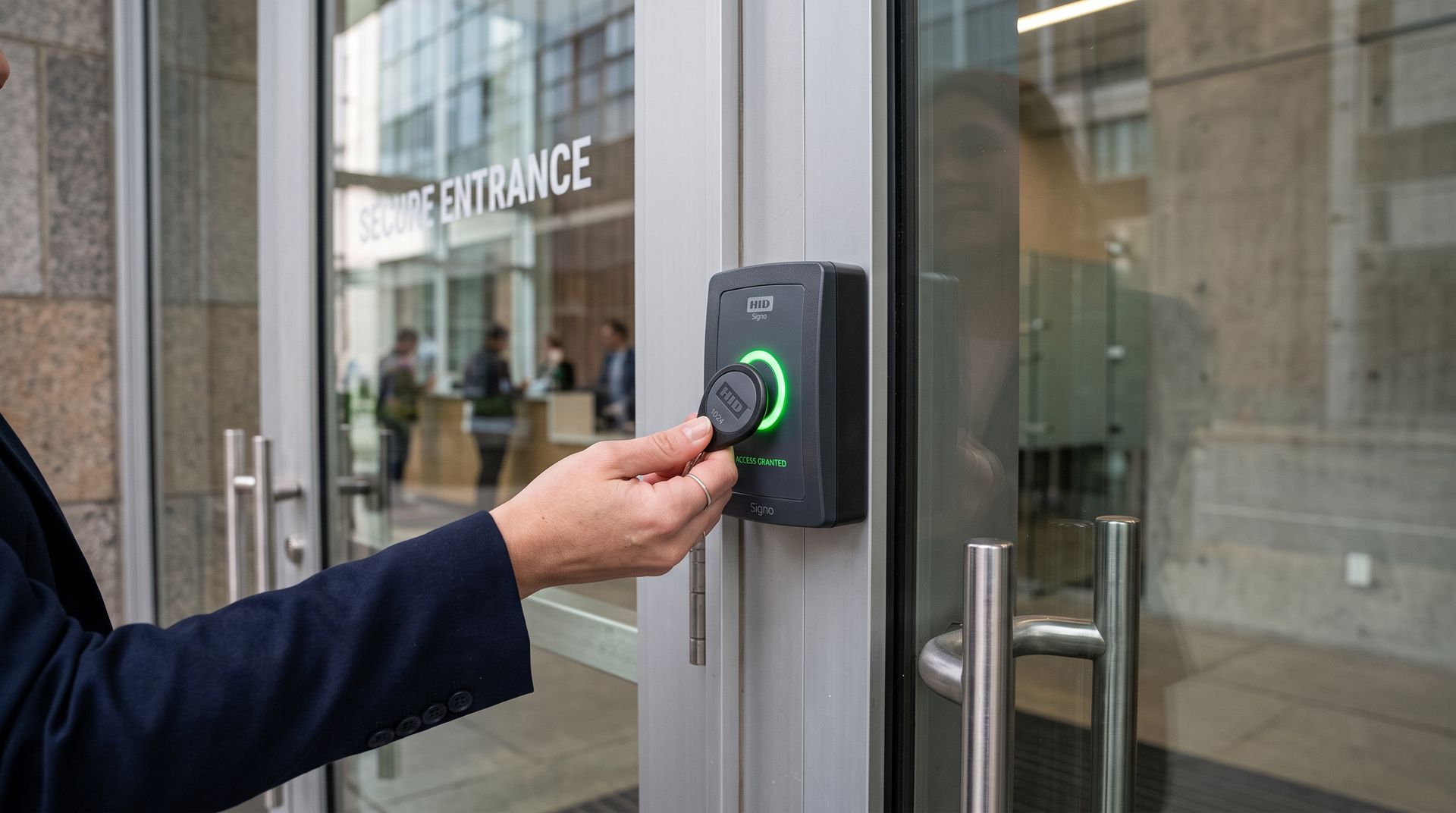
Access Control System Cost Breakdown by Type
When we talk about the cost of access control systems, we’re looking at more than just the price tag on the device. There’s the one-time spend on hardware, but also installation, software licensing, ongoing support, and the less obvious cost of managing everyone’s access. Each system—keypad, key card, or mobile—structures these costs in its own way. Some appear cheap at first, then rack up costs with constant code changes or credential replacements. Others might hit your wallet once but save you a lot of hassle down the road.
Systems built around keypads keep things basic, but might surprise you with labor costs or frequent maintenance. Key card and fob setups handle user turnover well but can end up costing more in lost or damaged cards. Mobile access has its own twists, like monthly app fees or integrating with your older infrastructure. We’ll break down what goes into these costs—hardware, labor, software, and management—so you know exactly where your money’s going and can plan your budget around what matters: security, convenience, and long-term value for your property or business.
In the sections ahead, we’ll unpack the real financial details behind each method so you see the full picture before you choose.
Keypad Access System Costs and Implementation
- Hardware Cost: Keypad units run anywhere from $80 to $500 per door, depending on features (weatherproofing, backlighting, or touchscreens). More robust models for exterior doors cost extra, and you’ll need a door controller if you want audit trails or remote management.
- Labor Costs: Installing a keypad system can take 2-4 hours per door. Plan on $300 to $600 in labor per install, especially if you’re wiring to an existing system or putting it into solid walls. For quick retrofit on interior doors, costs are lower, but trickier installations with wiring and controller integration boost the bill.
- Hidden Maintenance Expenses: Keypads wear out—especially in outdoor or high-traffic areas. Expect replacement cycles every 3-5 years, more often if exposed to severe weather. If someone shares the access code, you must reset it for everyone, which eats up staff time and increases the chance of user lockouts.
- Ongoing Management: Unlike cards, there’s no physical credential to hand out, but every code change requires user notification and manual updates. For offices with high staff turnover or regular visitors, the administrative workload adds up—think 10–15 minutes per change per door, multiplied by every occasion a user leaves or a breach is suspected.
- Drawbacks and Limitations: Keypads are simple, which also means limited scalability and less robust auditing. Most systems don’t track individual users, which is a compliance risk for regulated industries. Plus, if the keypad is outdoors or in a dirty environment, buttons can stick or fade, racking up further replacement costs.
In summary, keypad systems look cheap upfront but can stack up costs in time, labor, and maintenance—especially if used for more than a handful of low-security interior doors.
Key Card and Fob Entry Systems: Pricing and Credential Management
- Hardware and Reader Costs: Card readers (Wiegand, RFID, proximity, or swipe) typically run $200 to $600 per door, with controllers adding another $300–$1,000 depending on system complexity. Multi-technology readers and weatherproof models are pricier.
- Credential Costs: Access cards and fobs range from $2 to $8 per credential for basic proximity cards or simple key fobs. High-security and multi-factor credentials can push that price even higher. For large teams (think 500 employees or residents), the credential budget gets significant, especially when factoring replacement for lost, stolen, or damaged cards.
- Administrative Overhead: Each new user needs to be issued a card or fob, entered into the system, then removed when access is no longer needed. Lost credentials demand prompt deactivation to avoid security breaches, plus the cost and hassle of issuing replacements. Managing credentials at scale often requires a dedicated administrator or system owner.
- Maintenance and Replacement: Readers themselves are pretty durable but will eventually need replacement—especially in outdoor or high-traffic zones. Cards and fobs wear out, break, or get misplaced. Regular rekeying usually isn’t needed, but the cumulative cost (and downtime) of lost credential reissuance is a real budget line.
- System Downsides: Credentials can be cloned or borrowed, and tracking down where lost cards went can be painful. If you’re running dozens of doors, tracking, distributing, and recovering cards turns into a full-time job.
Overall, key card and fob systems strike a balance between usability and cost, but they introduce a steady stream of minor costs tied to credential management and the security risks of lost cards.
Mobile Access Control: Cost, Setup, and Remote Management
- Hardware & Reader Upgrades: Getting started often means swapping out old readers for ones that support Bluetooth or NFC—costing $300 to $1,000 per door. Some modern systems require only a firmware update, but integrating with legacy setups might demand new controllers or wiring.
- Software Licensing and App Fees: Mobile access is almost always managed through cloud-based software. Expect ongoing fees, often $10–$20 per door per month, covering remote management, updates, user administration, and security monitoring. Some platforms charge per user, so the more people with access, the higher the ongoing tab.
- Mobile Credential Costs: While virtual credentials don’t have a production cost like cards, there are costs tied to app distribution and setup support. Onboarding every user requires download instructions and sometimes in-person help—especially if users aren’t tech-savvy.
- Integration and Hidden Expenses: If moving from older keypads or card readers, you may need adapters or dual-technology hardware. Legacy system integration can involve additional software modules or professional services—don’t overlook this in cost calculations.
- Benefits and Drawbacks: Big upside: you can add or remove users instantly, audit access in real time, and update credentials remotely. Downside: you’ll need users willing to install apps and carry smartphones, and support costs can spike during onboarding or if people have phone trouble.
Mobile systems may have higher upfront costs and recurring software fees, but save you time and hassle in the long run—particularly if you expect to scale or connect to other smart building tools.
Pros and Cons Summary of Keypad, Card, and Mobile Systems
Before picking a new access control system, it pays to see how keypad, card, and mobile options stack up on the things that matter most: usability, ongoing costs, convenience for users, and security. Each technology has strengths but also potential headaches, whether it’s chasing down lost cards, fighting code sharing, or managing app installations in large teams.
This section serves as your quick-glance reference point, helping you sort which solution aligns with your priorities—from simple and affordable to highly secure and scalable. Keep reading for a direct rundown of the upsides and downsides of each access type. The details that might sway your decision are broken out just beneath the surface, letting you dive deeper as needed.
Remember: what sounds good on paper might bring hidden costs or user challenges in real life. Check the pros and cons in each upcoming subsection to avoid regrets and pick the path that keeps your team—and your budget—happy in the long haul.
Keypad Access: Pros and Cons Overview
- Pro: Simple and Cost-Effective – Keypads have low upfront costs, are easy to install, and don’t require physical credentials for users.
- Pro: Quick Setup – Most installations wrap up fast, ideal for simple interior doors or small businesses with a tight budget.
- Con: Code Sharing Risk – Users can easily share codes, making it tough to track who’s coming and going.
- Con: Limited Scalability & Security – Keypads get cumbersome to manage in larger facilities, and individual user tracking is almost never possible.
- Con: Maintenance Over Time – Buttons wear out, especially on exterior units, doubling as a maintenance chore.
Card Access Comparison: Strengths and Weaknesses
- Pro: Familiar and Flexible – Most staff or tenants already know how cards and fobs work, so adoption is easy.
- Pro: Decent Security with Individual Tracking – Each card can be assigned and tracked, supporting audit trails and better compliance.
- Con: Lost Card Hassle – Cards and fobs are easily lost or damaged, requiring regular replacement and deactivation to avoid access breaches.
- Con: Credential Management Overhead – Issuing, updating, and recovering cards at scale adds workload and costs, especially in places with high turnover.
- Con: Risk of Cloning or Sharing – Some card types are vulnerable to duplication or loaning, undermining security if not managed carefully.
Mobile Credentials and App-Based Access: Pros and Cons
- Pro: High Security and Instant User Control – Credentials are granted, tracked, or revoked remotely, often instantly.
- Pro: Fewer Physical Replacements – No cards or fobs to hand out or recover, reducing physical and admin costs with each personnel change.
- Pro: Seamless Scalability – Adding or removing users, even across multiple properties, is quick and centralized.
- Con: Smartphone Requirements – Every user needs a compatible device (and willingness to use an app); may not be practical for all workforces or visitor types.
- Con: User Onboarding and Support – Training, tech support, and rollout can be tricky, especially for less tech-savvy users or in high-turnover environments.
Is Your Access Solution Secure Enough? Comparing Security Across Methods
Choosing the right access control method isn’t just about price or convenience—it’s about making sure your doors, data, and people stay safe. Keypads, card systems, and mobile credentials all come with different strengths and weaknesses when it comes to resisting hacks, theft, and accidental rule-bending.
This section explores the most common risks for each system, such as code sharing in keypad setups, cloning of access cards, and the challenges of lost or compromised smartphones. For organizations working in highly regulated fields like healthcare or finance, we’ll also highlight what to watch for so you can meet industry standards and stay compliant with rules like HIPAA and PCI DSS.
By understanding these security tradeoffs now, you can head off costly breaches, avoid regulatory headaches, and make a choice that’s defensible—for your budget and your peace of mind. Subsections below dig into specific security risks and compliance pointers by system type.
Top Security Concerns by System Type
- Keypad Entry: Susceptible to code sharing—if a single user passes the code around, you lose track of who’s coming in. Codes are also easy to forget or guess, especially if not updated often.
- Card Access: Cards and fobs can be lost, cloned, or borrowed. Unauthorized use is tough to trace if cards aren’t quickly deactivated after loss.
- Mobile Credentials: Security depends on the user’s smartphone and app security. Lost phones need fast credential revocation; malware or phishing attacks are a risk, but audit logs help with monitoring misuse.
Security Compliance Advice for Regulated Environments
- Auditability: Systems need to track who enters and when. Card and mobile systems offer better logs than basic keypads, which usually can’t identify individual users.
- Credential Management Policies: Make sure credentials are unique, revoked quickly, and updated regularly to comply with federal and industry regulations.
- Data Privacy & Encryption: For cloud solutions, pick platforms with strong encryption and privacy controls to pass compliance audits.
- Physical Security Testing: Regularly test hardware in the field—exterior keypads and readers in particular—for tampering or reliability, as required by some industry standards.
What Influences Access Control System Cost?
Understanding the price tag on any access control system means looking beyond just hardware. Factors like how you deploy the system, what platform you choose, and how big your building—or portfolio—gets, all impact your final investment. Cloud or on-premise? Wired or wireless? Five doors or 500? Each answer changes your cost structure.
Installation costs can balloon if your building setup is complex or requires specialty materials, like locks, controllers, or wiring. And every new door adds not just equipment expense but often extra licenses, labor, and support. If you’re planning to scale, what started as affordable in one lobby entrance can get expensive fast when you’re rolling out across multiple locations.
In the next few sections, we’ll walk through how system type, site complexity, and the scale of your project work together to determine your true spend. You’ll be able to nail down a realistic budget and avoid surprises down the road.
Cloud vs On-Premise Access Control: System Type Impacts
Cloud-based access control systems (like Kisi or Openpath) charge monthly fees for software, remote access, and automatic updates. You skip the big upfront investment in servers, but sign on for ongoing subscription costs. On-premise systems demand a greater upfront outlay for server hardware and licensing, plus you manage updates, backups, and physical security of your IT equipment. Cloud models are easier to scale and often cheaper in the long run for organizations with evolving needs, while on-premise systems appeal to those with strict data control or custom integrations.
Installation Labor and Deployment Complexity
Labor costs can range from $300 to over $1,000 per door based on install difficulty, wiring needs, and building layout. Keypads might mount easily on interior doors, but running wiring or connecting electronic locks in older buildings drives up prices and extends project timelines. If you’re adding biometric hardware or video intercoms, expect more hours and specialized technicians. The more complex the building’s access routes, the higher your labor bill climbs.
Doors and Locations: How Scale Impacts Total Cost
Expanding a system across more doors or multiple buildings means multiplying hardware, software licenses, and credential costs—sometimes exponentially. Average cost per door varies, but for a mid-tier card or mobile system, figure $750–$1,200 each installed. Administrative overhead also grows: more users to onboard, more credentials to track, and more helpdesk tickets to manage. At scale, centralized systems save money and headaches compared to site-by-site installations, but they require careful upfront planning and network support.
Use Cases: Best Fit for Commercial, Coworking, and Residential
Not every access control system fits every building or business. What works like a dream for a multi-tenant office tower could be overkill in a small apartment complex—or flat-out wrong for a trendy coworking space where users change daily. Matching your system to your building’s vibe, user base, and operations can mean the difference between smooth sailing and constant headaches.
The following sections highlight which access types make sense in different settings, considering things like number of users, turnover, hours of operation, and who’s responsible for managing the system. It’s not just about who walks through the front door, but how they come and go every day. We’ll also check in on the real-world choices businesses are making, so you know what’s actually being rolled out nationwide.
Use this snapshot to set realistic system expectations and simplify decision-making for your next property upgrade or new install.
Best Fit for: Commercial Buildings, Coworking, and Residential Properties
- Commercial Buildings: Card and fob systems shine for medium-to-large offices. They handle high turnover and allow auditing, making compliance easier for HR and security teams.
- Coworking Spaces: Mobile access is king here—easy remote user management and the ability to grant or revoke access instantly for flexible memberships, visitors, or rotating tenants.
- Residential: Keypads are common at single-family homes or gated communities where user lists are short and convenience trumps full audit trails.
- Multi-Tenant Properties: Card or mobile systems offer the best blend for apartments or condos, where property managers need to manage hundreds of residents and track common area use.
Real Talk: What Businesses Actually Use Today
- Traditional Offices: Most still rely on key card and fob systems for familiarity and straightforward badge access.
- Coworking Chains: Leading operators increasingly pick mobile solutions for their speed and flexibility, especially when onboarding is frequent.
- Retail & Healthcare: Many hospitals and stores stick with card access for simple staff turnover—even though security upgrades to mobile are gaining ground.
- Apartment Complexes: Management often picks cards or mobile, but you’ll run into keypads at older properties or where budgets are tight.
- Small Businesses: Still a hotbed for keypad systems, trading advanced features for low cost and quick installs.
Future-Proofing and Upgrade Paths for Access Systems
Once your system is in, changing it is a project you don’t want to repeat every few years. That’s why thinking about upgrade paths and compatibility with newer tech matters as much as the features it comes with today. Whether you’ve got legacy keypads, card readers, or want to leap straight to mobile, planning for smarter integrations and future needs pays off in the long run.
This section introduces practical strategies for moving from older access models (like keypad- or card-based systems) to mobile-enabled, cloud-managed platforms. If you expect your business to grow, or just want less hassle whenever user lists change, making hardware and software choices with flexibility in mind is critical.
You’ll also find quick insights into which access platforms play nicely with visitor management tools, video security, and the access control features that tomorrow’s building tenants or employees will expect. Read on for details about upgrades and system integrations worth considering.
Can I Upgrade from Keypad to Mobile Access?
Upgrading from a keypad system to mobile access usually involves installing Bluetooth- or NFC-enabled readers and swapping in a cloud-based control panel. You may need to add or replace wiring, and existing door locks often stay the same if they’re compatible. The project’s cost depends on door count, tech choice, and existing infrastructure—expect to spend $800–$1,500 per door for a full refresh, including new reader hardware and software licenses. Disruption is minimal if you plan rollout in stages, but be prepared for transition support as users switch from codes to smartphone credentials.
System Scalability and Integrations with Security Tools
- Visitor Management: Modern systems integrate with appointment or visitor platforms for seamless guest access—no manual badge passes required.
- Video Intercom Integration: Some cloud-based platforms sync with video-enabled intercoms, letting you see, speak to, and grant access remotely.
- Video Storage & Audit: Integrated systems offer unified logs and video storage, making investigations or compliance checks easier.
- Growth Potential: Scalable platforms help you add new doors, locations, or user groups without massive upgrades—future-proofing your investment.
- Management Challenges: Non-scalable or piecemeal systems often cause management headaches, higher support costs, and security gaps as your needs change.
Choosing the Right Access Control Type for Your Needs
If you’ve made it this far, you’re armed with all the moving parts—features, costs, pros, and drawbacks. The natural next question: which system should you actually choose for your own site? The answer depends on your priorities: Do you need the strongest security? Is a tight budget at the top of your mind? Do you struggle most with staff turnover, or do you need a system that barely needs daily attention?
This next section gives a clear framework for making your access control decision based on your business size, industry requirements, growth expectations, and what you’re willing to handle in terms of maintenance or tech support. We also touch on why your choice of credential—code, card, or mobile—has a ripple effect on everything from compliance to tech support calls to budget line items.
Read on for a practical checklist and explanation of why these access decisions matter in day-to-day operations and the big picture.
Framework for Choosing the Right Access Solution
- Define Your Goals: Rank what matters most—security, convenience, scalability, or cost—so you know what features to prioritize.
- Evaluate Compliance Needs: If you’re in a regulated industry (healthcare, finance), audit trail and credential control are must-haves.
- User Volume & Turnover: High user turnover or multi-site management pushes you toward mobile or card systems with easier onboarding/offboarding.
- Budget for Growth: If new doors or locations are likely, pick a system that scales affordably and lets you manage everything from one dashboard.
- Consider Support & Training: Gauge your staff or residents’ tech skills to avoid non-compliance or a flood of support calls.
Why Credential Choice Matters for Security and Administration
The credential type you pick—PIN, card, or mobile—determines how easy it is to add or remove users, run audit reports, and keep your building secure. PIN codes (keypads) demand frequent changes to stay safe, with no user-specific tracking. Card and fob credentials simplify onboarding but risk losses and cloning. Mobile credentials streamline user management and deliver real-time revocation, lowering risk and administrative effort, especially in organizations where users come and go often. The right credential improves not just security, but also everyday support, compliance, and overall peace of mind.
FAQs About Access Control Costs and System Options
We hear a lot of the same questions from folks figuring out their next access control move. How much does card replacement really add up to each year? Are mobile credentials really that secure—or practical for everyone? What happens to my investment if my system needs a full upgrade? And does it make sense to patch an old keypad system, or just bite the bullet and go modern?
Here’s what you need to know: keypads are cheapest to install, but their security is basic and you’ll pay more in the long run with code resets and maintenance. Card systems offer individual tracking but watch out for lost or cloned cards—they cost both money and peace of mind. Mobile access control increases upfront and recurring costs but cuts back on headaches from lost credentials and lets you scale easily as teams or residents change. And yes, upgrading from keypad or card to mobile is possible for most buildings—budget $800–$1,500 per door including labor, new readers, and software licenses.
If you’re juggling tight budgets or fast-growing teams, mobile access brings the quickest administration and best compliance tools, while card systems are a solid bet for familiar workflows and manageable user counts. The bottom line: weigh initial spend against ongoing labor, loss, and compliance costs to nail down real value. When in doubt, consult your vendors for up-to-date price quotes and integration options—they help you avoid costly surprises. Still stuck? Prioritize: security, budget, or ease. That’ll show you your best fit, fast.
Conclusion: Comparing Benefits to Make the Right Choice
If you want the numbers, here they are: according to industry surveys, keypad installations average $80–$500 per door upfront (plus $300+ for labor), but owners report $200–$500 per year, per site, in maintenance and reset costs. Card and fob systems average $750–$1,200 per door fully installed, with annual per-user credential costs (including replacements) ranging from $10–$40. Mobile access usually starts high—$1,000+ per door, plus $10–$20 per door, per month for software—but organizations report up to 40% time savings in credential management and up to 60% fewer lost credential incidents.
Experts from the Security Industry Association note that mobile and cloud-based platforms are quickest to scale and keep secure, making them a top pick for growing or multi-location businesses. Case studies from US-based coworking and commercial operators show that while mobile access costs more per-door, it pays off in lower staff workload and tighter control.
What’s the verdict? If high security and easy management are top priorities, mobile is the way to go—especially for growing businesses or larger sites. For mid-sized offices or properties where users are relatively stable, traditional card/fob setups still deliver value and familiarity. Keypads are perfect for simple, low-security, or budget-limited needs, but their limitations (especially for audit trails and compliance) can’t be ignored.
The best system for you depends on your security needs, user count, and how much you value long-term efficiency over upfront price. Make your decision based on the total cost of ownership, not just the lowest sticker price, and you’ll step confidently into a more secure, manageable future.
Centex Systems