
How Much Does a Home Security System Cost in Central Texas in 2026?
How Much Does a Home Security System Cost in Central Texas in 2026?
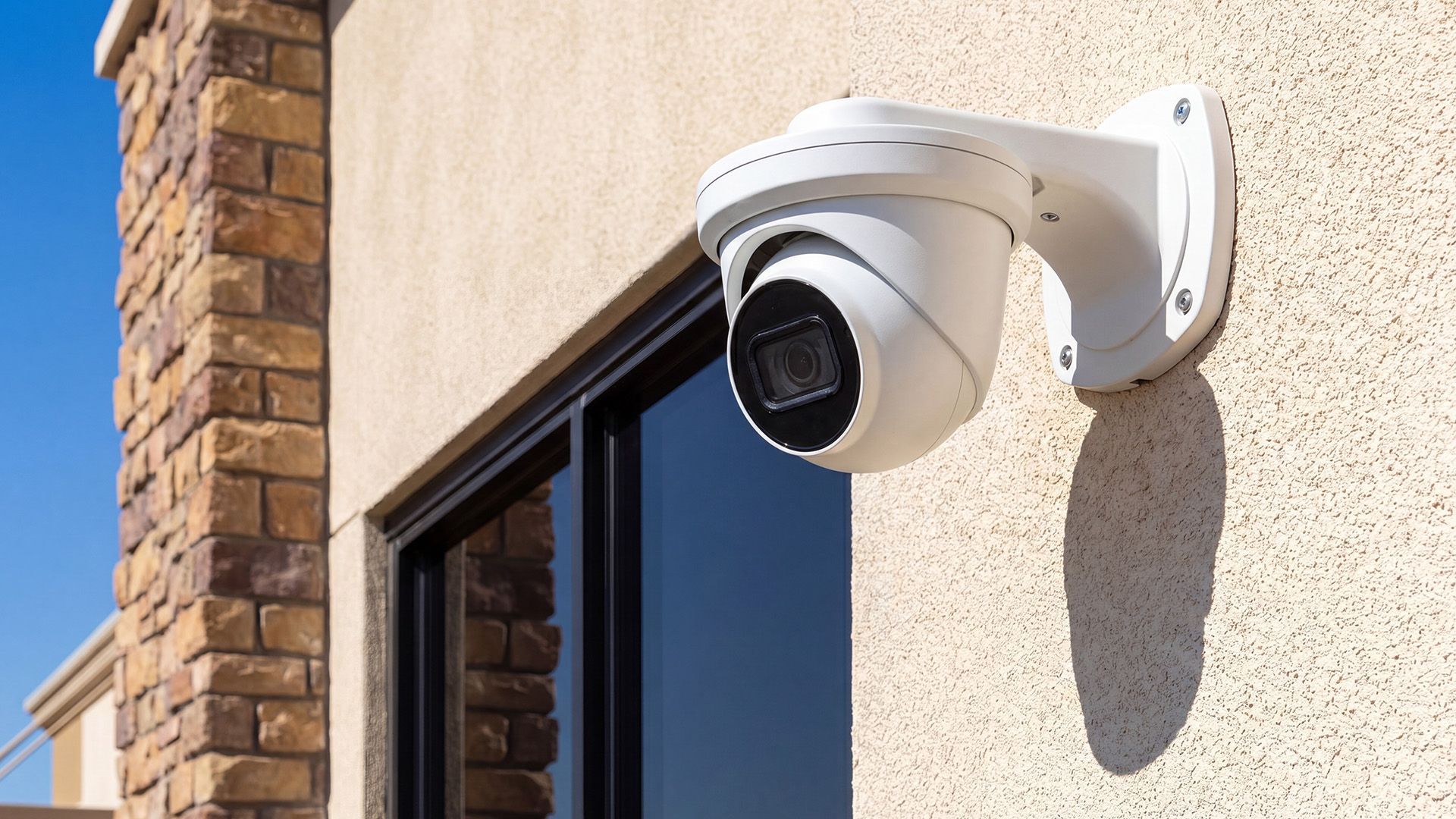
Price points will swing up or down depending on the size of your home, choice of do-it-yourself versus professional install, wireless versus wired, and what your city requires for permits and alarm fees. In Austin and the surrounding Hill Country, local regulations and property layouts often mean you’ll face a few extra up-front costs (like alarm permits), but also lots of choices—from self-monitored, subscription-free systems to trusted service contracts from local pros.
You also need to factor in details many folks miss: battery swaps, sensor upgrades every few years, or that "free" install offer that turns into a three-year contract if you’re not careful. In the next sections, we’ll walk you through these cost buckets step-by-step—including transparent breakdowns of initial charges, monthly fees, and regional quirks you’ll face if you want your home secured the right way in 2026.
2026 Home Security System Cost Breakdown for Central Texas
Understanding what it actually costs to install a home security system in Central Texas takes looking at several moving parts. The total bill is not just about the sticker price on the equipment you see on the shelf or website. Instead, you’ll want to get familiar with the full lineup: initial equipment charges, install fees, activation costs, ongoing professional monitoring (if you want it), and a handful of local requirements that might surprise you.
Costs shake out differently depending on whether you’re in a downtown Austin condo, a Round Rock ranch-style house, or out in the Hill Country. New housing developments might even have particular deal packages, while older neighborhoods could need extra hardware. DIY systems may cut out recurring fees, but might require some sweat equity. Professional firms provide peace of mind—for a price, of course.
This section lays out exactly what counts as “upfront” versus “long-term,” so you’re not caught off guard. We’ll dive into each one shortly: what you pay right away, what you’ll owe each month, and how different system types and service choices change your final tab. Plus, we’ll set up the info you need to spot red flags, hidden charges, or short-term deals that look cheap but get expensive in the long run.
What You Actually Pay Up Front for Home Security in 2026
- Equipment Cost:For a typical Central Texas home, new security equipment starts at $200-$400 for DIY basics (think motion sensors, door/window contacts, simple control panel), while a solid professionally-installed setup with wireless cameras, smart locks, and remote access averages $700-$1,500. Going high-end with extra cameras, smoke/CO integration, or outdoor video? Count on $2,000+—and possibly more for large properties or custom jobs.
- Installation Fees:If you’re hiring a professional, installers will usually charge $99-$299 for a standard home, not including equipment. Some providers advertise “free install,” but often bundle that into a contract or financing deal. Unique layouts or legacy wiring may add $50-$200 for extra labor or travel.
- Activation Charges:Most national and regional firms charge a one-time activation fee—typically $50-$100. This covers initial account setup, connecting equipment to your monitoring center, and ensuring your alarm is live. DIY systems bought online might waive this, but read the fine print on app/cloud setup fees.
- City Alarm Permits:In Austin, the alarm permit is $50 as of 2026, renewable every year for about $30. Waco and Round Rock have similar first-time permit fees ($30-$60), which you’ll need to pay before your system is legally monitored. Skipping the permit can mean big fines if the police respond.
- Hidden Costs and Fair Pricing:Watch for “free” equipment deals that come with required multi-year monitoring contracts—breaking these can cost hundreds. Also, budget a little extra ($15-$50) to cover things like yard signs, window decals, or extra mounting hardware that isn’t always included up front.
Monthly Monitoring: Long-Term Costs in 2026
Monthly home security monitoring in Central Texas covers a wide price spectrum. DIY and self-monitoring options can be as low as $0 to $10 a month if you’re managing alerts with your phone and not paying for professional response. Some brands (like Wyze or Eufy) offer true no-subscription models; others provide optional cloud video recording for $3-$10 extra per camera each month.
Professional monitoring, which means real people responding to emergencies and alerting police or fire, averages $25-$35 per month for mainstream providers such as ADT, Vivint, and local firms. Higher-end services—like cellular backup or video verification—can push the monthly fee to $40 or more. Most contracts tie you in for 12-36 months, but month-to-month plans are appearing more frequently for self-monitored and hybrid options.
DIY Installation and Self-Monitoring Compared to Professional Options
Choosing between installing your own home security system or bringing in the pros is one of the biggest decisions in the process. DIY installation can be a great fit if you’re comfortable with technology or want something you can start today, often at a fraction of the upfront cost. You’ll find Central Texas homeowners drawn to savings, control, and skipping the pressure of a long-term contract.
On the other hand, professional installation comes with the benefit of expert setup, no guesswork, and stronger guarantees if something stops working. Local companies know the quirks of Austin’s older homes, rural property lines, and municipal codes—details that can save you headaches (and sometimes cash) down the road.
This section sets up the comparison: cost differences, trade-offs between flexibility and reliability, and which path matches your home’s needs. Whether you’re looking to save up front, want minimal hassle, or just don’t trust yourself with a drill and a step ladder, you’ll see where each option shines in Central Texas conditions.
DIY Installation Self-Monitoring: Save Money and Stay in Control
- Low Equipment Prices:DIY starter kits for Central Texas homes in 2026 usually cost between $200-$400. These include basic sensors, a mobile-friendly control hub, and often optional cameras. You’ll find brands like Ring, Wyze, and SimpliSafe popular around here for self-installation.
- App-Based Control:Nearly all modern DIY systems let you manage arming/disarming, receive mobile alerts, and view camera feeds right from your smartphone. This gives you maximum flexibility, without ongoing monitoring fees—if you spot trouble, you decide to call for help.
- No Contracts, No Monthly Fee:If you’re truly self-monitoring, you pay nothing after purchase unless you want cloud video storage or a limited professional backup. Many families appreciate avoiding recurring costs and keeping things under their own watchful eyes.
- Responsibility Lies With You:The catch? You handle all alerts—so if you’re out of signal range or asleep, it’s on you to check and call authorities. There’s also the DIY install itself, which requires a little elbow grease and some comfort with technology.
Professional Installation Benefits and Building Local Trust
- Expert Setup Tailored to Your Home:Professionals assess your home’s layout, entry points, and unique vulnerabilities, ensuring sensors and cameras are placed for maximum coverage. This expertise helps eliminate blind spots and reduces false alarms.
- Reliable System Integration:Pros will handle all wiring, wireless mesh networks, and system pairing—especially important for larger homes or older properties with thick walls. This means less downtime and fewer technical hiccups, with the system optimized for your space.
- Compliance with Local Codes:Central Texas municipalities (like Austin and Waco) require alarm permits and enforce specific installation standards. Professionals know these requirements and can pull the right permits for you, saving you the headache (and potential fines) later.
- Warranty and Ongoing Support:Installers typically provide warranty coverage that includes repair, emergency support, and free service calls for at least a year, depending on the provider. This can be worth its weight in gold if something stops working during a Texas thunderstorm.
- Trust and Accountability:Neighborhood installers build their reputation on reliability, quick response, and follow-through. Many Central Texas families stick with a local company for the long haul after a good first experience—making upgrades and maintenance simple down the line.
Hidden and Long-Term Costs of Home Security Systems
Budgeting for a home security system in Central Texas means looking beyond the sticker price. Extra fees can sneak up in the form of city-mandated alarm permits, fines for false alarms, and the ongoing cost of keeping your system updated (batteries, new sensors, or software upgrades). Long-term contracts or financing deals might seem appealing up front but can add a hefty chunk to your final bill if you don’t read the fine print.
These overlooked expenses have caught plenty of local homeowners off guard. In some cases, skimping on maintenance or ignoring renewal notices can result in service interruptions—or citations from the city if your permit lapses. Taking a little time now to understand these costs pays off later in fewer surprises and a more reliable, compliant system.
As we dig into the details next, keep an eye on contract terms, city regulations, and the pace of new technology. Small print and hidden fees are easier to handle if you know what to expect, and you’ll be able to adjust your security plans accordingly as your home—and life—change.
Permits False Alarm Fees and Alarm Permit Requirements in Central Texas
- Alarm Permit Fees:Most Central Texas cities (Austin, Round Rock, Waco, Killeen) require an alarm permit before your system is activated. Upfront fees typically range from $30 to $60 the first year, with renewal fees of $20-$40 annually. Failure to get a permit before activating monitoring services can lead to citations or denial of emergency dispatch.
- False Alarm Fines:False alarms eat into city budgets—so multiple unverified alerts trigger fines. For example, Austin charges $50-100 per false alarm past the first 1-2 “freebies” each year. Rates increase dramatically with repeated incidents, and some cities will even suspend emergency response after too many false calls.
- Process and Compliance:Permit applications are straightforward (usually online or snail mail), requiring your address, phone, and monitoring provider’s information. Keep documentation handy, as you’ll need to produce it after an emergency call. Renew promptly each year to avoid service interruptions or extra penalties.
Ongoing Maintenance Upgrades and Battery Replacement Explained
- Battery Replacement:Most wireless systems (and virtually all DIY models) count on AA/AAA batteries or proprietary packs for sensors, keypads, and cameras. Expect to replace batteries every 1-2 years—budget about $20-$60 per year depending on system size (big houses go through more batteries!). Some smart sensors offer low-battery notifications, but don’t ignore them or your safety can lapse in a hurry.
- Equipment Maintenance:Dust, Texas summer heat, and malfunctioning parts can hit sensitive security equipment hard. Schedule semi-annual sensor checks, test sirens, and clean camera lenses to keep your system running smooth. Many pro installers bundle yearly maintenance for $75-$150, but DIYers can handle most checks for the price of cleaning supplies and a little time.
- Software and Firmware Updates:Connected security systems get better (or, occasionally, less buggy) with over-the-air software and app updates. Most DIY systems push free updates, but some premium features may require a subscription or one-time in-app fee—especially for added automation, video analytics, or new device integration in 2026.
- Upgrades and Expansion:Your system isn’t set-and-forget. Adding new doors, outdoor spaces, or converting a garage to living space? Extra sensors run $30-$75 each, and cameras $75-$250 depending on 2K/4K resolution or floodlight/doorbell options. Professional expansions can carry a labor fee ($50-$150) plus equipment—it pays to factor this in if you expect home changes.
Contracts, Financing, and Contract Cancellation Penalties
- Long-Term Contracts:Some providers require a 12-36 month minimum monitoring commitment, locking you in at a set rate. While this spreads out up-front equipment costs, breaking a contract early often means paying the remaining balance or a substantial termination fee—sometimes several hundred dollars.
- Financing Options:To reduce the up-front sting, companies offer financing for equipment (often 0% APR, split over 12-60 months). Read all details: financing rarely covers monitoring, and late or missed payments can risk both your system staying online and your credit score taking a hit.
- Early Termination Fees:Canceling before a contract’s end typically results in stiff penalties—usually the sum total of remaining monitoring fees or a flat buyout fee. Some providers allow you to cancel if moving outside their service area, but proof is required and loopholes are narrow.
- No-Contract Systems:Many DIY and new subscription-free systems (Eufy, Abode, Tattletale) sell equipment for up-front purchase and let you walk away at any time. These options give you control over your long-term costs, but may lack some of the perks of pro-monitored setups like police verification, insurance discounts, or premium integrations.
- Fine Print and Bundled Deals:Bundled “free installation” or “zero down” deals often hide contract or finance requirements. Always ask how long you’re committed, what you owe if you break it, and demand written details before you sign any paperwork.
Maximizing Value with Insurance Discounts and Local Promotions
Lowering your total out-of-pocket costs on a security system in Central Texas isn’t just about shopping the lowest price. Smart homeowners team up with insurance providers to grab policy discounts, hunt for local promotions, and take advantage of annual payment plans that can bring real savings—sometimes shaving off hundreds a year if you choose carefully.
This section connects the dots between picking a qualifying system, using the right documentation, and knowing when to pounce on a local deal or a limited-time promotion. Getting the most value means knowing how to work the system (pun intended), aligning your new setup with insurance requirements, and timing your purchases to maximize every dollar.
How to Work with Your Homeowners Insurance Provider for Discounts
- Check Eligibility with Your Insurer:Most Texas insurers (like Allstate, State Farm, or USAA) offer 5%-15% premium discounts for monitored security systems. Ask your agent before buying to confirm what counts.
- Provide Verification:They’ll want documentation—a monitoring contract or permit receipt. Keep all paperwork handy when submitting for a premium drop.
- Choose Qualifying Features:Smoke detectors, monitored fire alarms, and police dispatch systems tend to win higher discounts than basic noise-only alarms.
- Ask About Bundles:Some insurers boost discounts if you pair security systems with other risk-reducing measures, like storm shutters or monitored leak sensors.
Promotions and Annual Payment Strategies to Save on Security
- Seasonal Promotions:Central Texas providers run deep discounts around holidays (Fourth of July, Memorial Day, late fall)—sometimes waiving install fees or adding bonus equipment.
- Bundle Deals:Look for offers bundling security with smart home automation, cameras, or door locks for a single price—usually cheaper than buying parts separately.
- Annual Payment Discounts:Paying for 12 months of monitoring up front usually nets you a 5-10% discount over month-to-month rates. Just be sure you’re ready to commit.
- Local Referral Programs:Some installers knock $50-$150 off for client referrals—worth asking neighbors for recommendations and sharing who you used.
Choosing the Right Security System for Your Central Texas Home
Picking the best fit for your Central Texas home is a balancing act. The right security system depends on your home’s size, layout, number of entrances, and what kind of threats you’re actually worried about—burglary, porch pirates, or even wild weather that knocks out power or cell service. Big two-story homes on acreage need different gear than a small Austin condo or starter home.
You’ll want to size your package so it actually covers your vulnerable spots, without overpaying for extra gadgets you won’t use. Equally, your local internet or cellular strength can make the difference between frustration and peace of mind—especially if you’re considering a hybrid or wireless system in a rural or older neighborhood.
Understanding the strengths and limitations of wired versus wireless, as well as what you get with each level of monitoring, lets you avoid both under-buying and over-buying. The rest of this section will help you troubleshoot your specific home needs, estimate system scale, and compare modern security packages for Central Texas living.
Equipment Selection System Scale and Sizing for Central Texas Homes
- Apartments and Condos (800-1,300 sq. ft.):Generally, you need 2-3 door/window sensors, a motion detector, and a keypad or mobile app controller. Adding a single doorbell or peephole camera ($50-$150) boosts front door security. Expect equipment pricing around $200-$450 for a solid DIY setup, or $700+ with pro install and video.
- Single-Family Homes (1,400-2,500 sq. ft.):Most require 4-8 door/window sensors (front, back, garage), two to three motion sensors for main living areas/hallways, a base station, and 1-2 outdoor or doorbell cameras. Cost ranges from $350-$900 for DIY, $1,000-$2,000 for professional with cellular backup, smoke detectors, and app control.
- Larger Properties & Rural Homes (2,500+ sq. ft.):Go with 10+ sensors for all ground-floor windows, dedicated glass-break sensors, garage/outbuilding sensors, at least three cameras (mix of doorbell, driveway, perimeter). These systems run $1,000-$2,500+ depending on number of cameras, wireless mesh, backup power, and integration with lighting or automation.
- Custom Add-Ons:Smart thermostats, remote-control locks, leak detectors, and CO/smoke sensors can be tacked on as needed—costing from $40 (single sensor) up to $200 (smart lock or thermostat). Professional installers usually discount additional gear at the time of initial install.
Wired Versus Wireless Security System 2026: What to Know
In 2026, wireless systems dominate the market thanks to easy DIY installation, fast expansion, and strong app integration. About 85% of new installs in Central Texas use wireless sensors and cameras. Wired systems remain popular for larger custom homes, thanks to their reliability and immunity to Wi-Fi/network hiccups—especially critical in rural or fringe internet areas. Industry experts recommend wireless for most urban and suburban homes, but urge wired setups where power stability is a concern or for tricky layouts where wireless signals drop.
Wireless gear almost always costs less up front and can be self-installed. Wired costs more for labor but requires less ongoing maintenance, beyond backup power.
Monitoring Service Tiers Professional Monitoring Monthly and 24/7 Emergency Protection
- Self-Monitoring (No Monthly Fee):Monitor your home via app alerts. Equipment cost only; you handle emergencies. No dispatch calls or insurance discount, but maximum control.
- Basic Professional Monitoring ($10-$20/month):Alerts sent to a monitoring center—staff calls you when tripped, but emergency services may require confirmation. Good balance for small homes or cautious spenders. Usually offered month-to-month or short-term contract.
- Premium Professional Monitoring ($25-$40/month):Includes 24/7 emergency response, cellular backup, direct dispatch of police/fire, and sometimes video verification to speed up response or reduce false alarms. Mandatory for insurance discounts. Contract term usually 12-36 months, but more flexible options appearing in 2026.
- Integrated Home Monitoring ($30-$50/month):Bundles security with smart home integration—like lighting, environmental sensors, or voice assistants. Best for tech-forward homes, those with special security needs, or families wanting remote automation.
Smart Home Integration and Advanced Security Features in Central Texas
Security systems in 2026 aren’t just alarms—they’re the brains of a connected home. Many Central Texas homeowners now want more than noise and flashing lights: they’re looking for smart locks, app controls, voice integration, and cameras with cloud storage that work together seamlessly. The right system will give you remote access, visibility, and a sense of control whether you’re in Pflugerville or standing in line at H-E-B.
This section opens up the options: price points, convenience, and how new smart features can protect against more than break-ins (think fire, water, and storm threats too). We’ll cover setup, privacy, and what you can expect in both cost and everyday usability from these tech-heavy options.
Access Control Smart Locks and Mobile Security Features
- Smart Locks:Modern smart locks cost $120-$280 per door installed. They let you lock/unlock from a phone, set temporary access codes (no hiding keys for the dog-walker), and keep tabs on who’s coming or going. Many connect seamlessly with alarm systems and can auto-arm or disarm security when the correct code is entered.
- Mobile App Controls:Most new systems, even budget ones, include an app allowing full command—arming/disarming, checking status, triggering emergency alerts, and seeing live video. Look for systems with Texas-strong app ratings, as poor software can make even fancy hardware frustrating.
- Remote Arming and Disarming:Whether you’re on vacation or just down the block, remote access means no rushing home to shut off a false alarm. Many apps send push notifications or can be linked to geofencing—for example, arming your system automatically when you leave a set area around your home.
- Guest Access Management:You can set up schedules or temporary PINs for family, cleaners, or dog sitters—giving them access only when you want, and revoking it just as fast. Useful for Airbnb customers or anyone with changing visitor needs.
- Voice Assistant Integration:Amazon Alexa, Google Assistant, and Apple HomeKit can arm/disarm, control smart locks, and trigger routines with a voice command—making life easier, especially for busy families or anyone managing access for kids or elders.
Alarm Integration Automation and Discreet Smart Alarms
- Light and Thermostat Integration:Link alarm events to lights/thermostats so entry triggers interior/exterior lighting or adjusts HVAC for emergencies. Improves deterrence and safety during storms or outages.
- Discreet Smart Alarms:Hidden alarms and vibration sensors (for windows, safes) reduce visibility for would-be burglars and minimize accidental triggers, while still alerting you through your phone/app instantly.
- Voice Notification Automations:Customize your alarm system’s voice responses for specific emergency events—useful for seniors or those with accessibility needs who may not hear sirens or see flashing lights.
Video Recording Storage and Surveillance Solutions
- Camera Types:Indoor, outdoor, floodlight, doorbell, and pan/tilt cameras range from $50 to $250 each. Weatherproofing is essential for Texas storms—always check durability ratings for outdoor units.
- Cloud vs. Local Storage:Cloud plans run $3-$10 per camera/month but offer off-site backup and longer video history (crucial in break-ins). Local storage (SD cards, NVRs) avoids fees but can be lost in theft or storm damage—plan backups for any critical video.
- Privacy Controls:In 2026, most brands offer granular privacy settings—scheduling, activity zones, and local facial/device recognition to reduce unnecessary alerts and improve compliance with local privacy ordinances.
Frequently Asked Questions (FAQ) About Security Systems in 2026
There’s a reason FAQs exist: everyone has a few lingering questions before laying down cash for a home security system in Central Texas. Should you pay a monthly fee? Can you reuse old gear from your last house? Are there reputable local providers in your ZIP code? This section gets you clear, quick answers for the roadblocks that most commonly stall new buyers or upgraders in 2026.
It’s designed as a shortcut—if you need just the basics on fees, contracts, or whether your address is serviceable, you’ll find it here in a few short paragraphs. This wraps up our coverage, so you can move forward feeling confident and ready, not confused and frustrated.
Monthly Fee Security? Existing Equipment Service and Long-Term Contracts
- Mandatory Monthly Fees?No, not all systems require monthly fees. True DIY options (Wyze, Eufy, Abode) let you monitor yourself for free. Insurance-approved monitoring or pro dispatch? Expect $10-$40/month. Watch for “free” hardware deals tied to multi-year contracts.
- Using Your Existing Equipment:If it’s less than 5 years old and uses open wireless standards (Z-Wave, Zigbee, Wi-Fi), many new providers or DIY kits can integrate or reuse sensors and cameras. Ask for compatibility lists before buying extras.
- Contract Requirements:Most pro-monitored systems require at least a 12-month contract; some DIY or “no-subscription” setups (Ring, SimpliSafe, Eufy, Tattletale) let you cancel anytime with no penalty. Always confirm before you sign or submit payment.
Verified Availability and Security Systems Austin ZIP Codes and Neighboring Areas
- Local Provider Coverage:Austin’s ZIP codes (78701, 78704, 78745, etc.), plus Round Rock, Georgetown, Killeen, Temple, and Waco are well covered by national brands (ADT, Vivint), major DIY systems (Ring, Wyze, Abode), and local firms like True Protection, DPI, and Central Security.
- How to Check Your Address:Enter your ZIP code on the installer or brand’s website, or call local offices to confirm. Rural areas may require a site visit for pro installs, but most DIY kits now ship region-wide with live chat setup support.
- Referrals and Neighborhood Support:Neighborhood apps (like Nextdoor) and local Facebook groups are solid places to poll recent buyers for recommendations—especially for finding installers who do honest work at a fair price.
- Consumer and Reliability Ratings:Don’t forget to check Texas attorney general complaint listings, Consumer Reports, and review sites for verified performance—especially crucial for weatherproofing and emergency service reliability in Central Texas hot/cold swings.
Centex Systems